
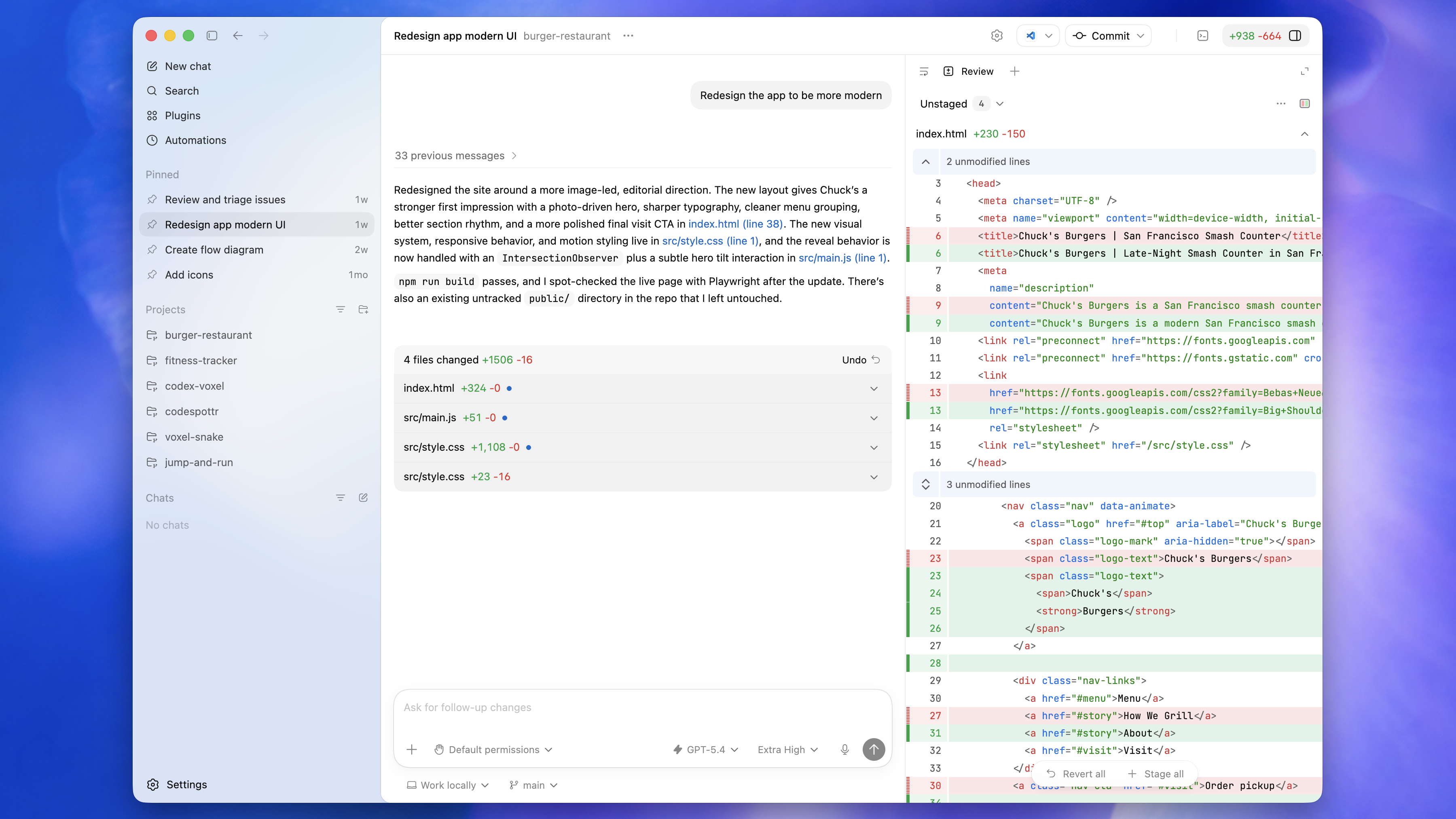
My current view of Codex is simple: it is no longer just a tool that helps me write code.
More precisely, Codex is shifting from a code generator into a long-running task workbench.
The important change is not one extra button. It is the way threads, tools, permissions, verification, automations, memory, and project rules can work together, so a task can keep moving while you step in to steer, approve, or review the result.
The short version
The old Codex felt like “help me edit this code.” The newer workflow feels more like “help me move this goal toward a verified result.”
That matters because useful agent work is not only about a strong first draft. It is about whether the work can:
- stay continuous: keep context and decisions inside the same thread;
- stay steerable: let you correct direction or approve the next step;
- stay verifiable: run tests, inspect diffs, capture screenshots, and check pages;
- stay reusable: move repeated rules into
AGENTS.md, skills, or automations.
How I would use it
1. Give every important task its own long-running thread
Do not treat Codex as a disposable Q&A window.
A bug, an article, a refactor, or a release flow should each have its own thread. That thread can preserve what Codex has already read, what it has tried, which commands it ran, and what feedback you gave.
My prompt usually looks like this:
Goal: move this issue from diagnosis to a verified fix.
Context: this is a production report, and the relevant module may be xxx.
Constraints: do not touch unrelated files, do not refactor public interfaces, do not modify public build output.
Definition of done: root cause explained, code changed, tests or local verification passing.
Working style: read code and logs first, explain the finding, then make the change.
The key is to define what “done” means. Codex can handle long tasks better when the target is concrete.
2. Make it verify with tools, not just produce an answer
The risky part of long-running agent work is that the agent may believe it is done before you have evidence.
So I prefer asking Codex to leave checkable proof at each step:
- code work:
git diff, test command, failure log, fixed output; - frontend work: local screenshot, browser console, key interaction check;
- content work: source links, citation boundary, final Markdown file;
- release work: dry run, build output, deployment log, rollback path.
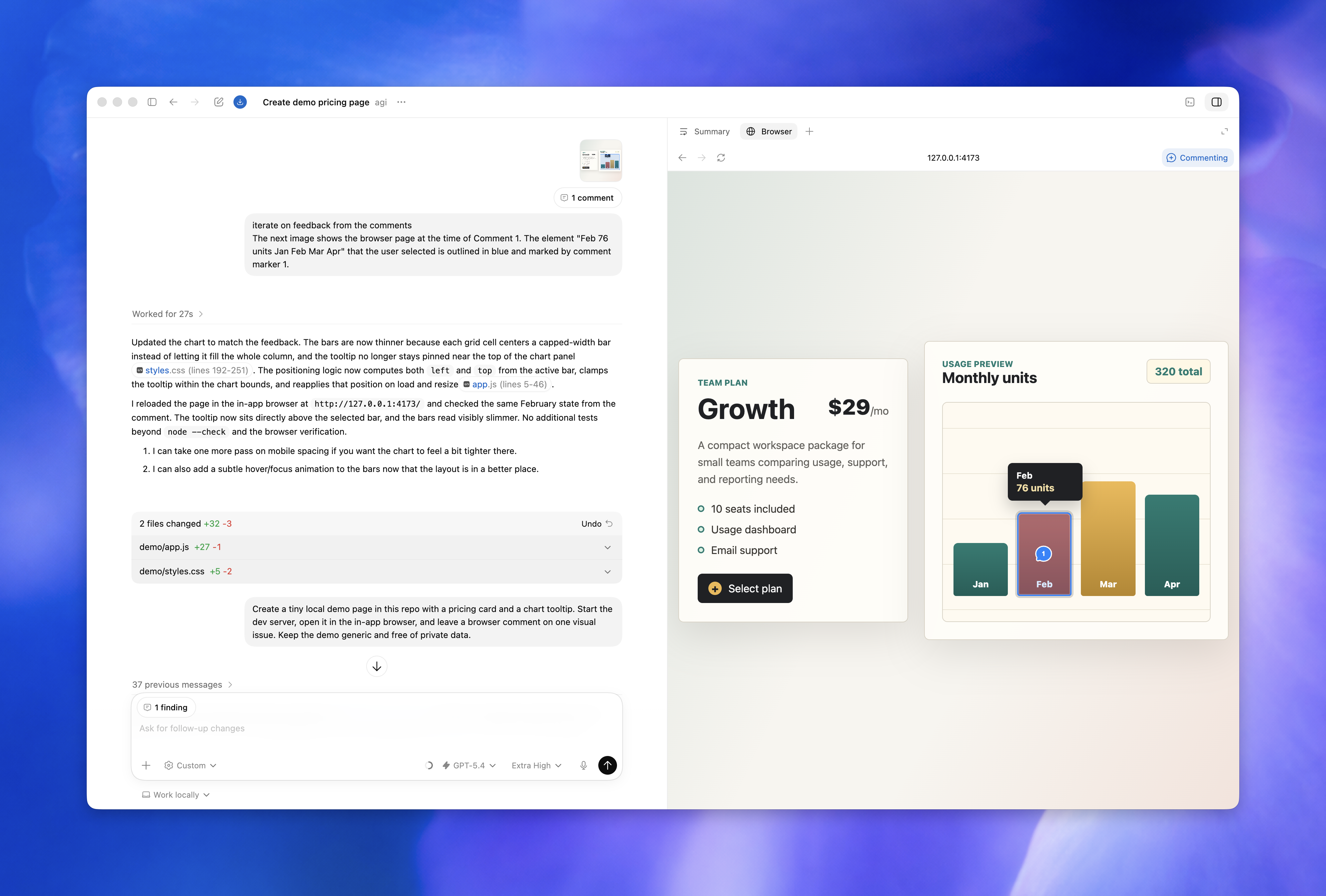
This is why Codex starts to feel like a workbench: it can connect terminal output, files, browser checks, and diffs inside one task flow.
3. Move repeated requirements into project rules
If you repeatedly say:
Do not modify public
Use Chinese by default
Run hugo --renderToMemory --minify first
Put article images under static/img/YYYYMMDD
then those rules should not live only in your prompt history.
A better place is AGENTS.md, or a reusable skill. When Codex enters the repository, it can immediately understand the local boundaries, language preference, verification command, and files it should avoid.
This looks small, but it matters for long-running tasks. Long tasks are not kept on track by a single perfect prompt. They stay on track through stable rules.
4. Turn repeated work into automations
OpenAI is also pushing Codex Automations: let Codex come back on a schedule, do repeatable work, and hand the result to you for review.
I would start with low-risk, repetitive, easy-to-check work:
- summarize new article drafts every week;
- scan TODOs or failing tests every day;
- summarize GitHub issues and PR status;
- check site build and SEO output on a fixed schedule;
- generate a weekly progress note for a long-running project.
A practical automation prompt could be:
Every Friday afternoon, return to this thread and review this week's new articles and drafts.
Output three sections:
1. published articles;
2. titles or images worth improving;
3. the 3 most promising topics for next week.
Only summarize and suggest. Do not edit files automatically.
Let it organize and report first. Only later should you consider giving it execution authority.
5. Use mobile handoff to keep work from stalling
OpenAI has also connected Codex to the ChatGPT mobile app. For long-running tasks, the useful part is that you do not need to stay at the computer the whole time.
Codex may stop and ask:
- should I choose plan A or plan B?
- may I run this command?
- should this diff be expanded?
- do you want me to update the test too?
If you can answer those small decisions from your phone, a long task does not get stuck on a minor approval.
But I would not treat mobile access as “let AI change production remotely.” A better use is: let Codex continue investigation, organization, verification, and drafting, while keeping high-impact actions under human review.
A reusable long-task prompt
For a complete Codex task, I would start from this template:
Goal:
Complete [specific task] until it reaches [verifiable end state].

Context:
- Business context:
- Relevant paths:
- Known problem:

Constraints:
- Do not modify:
- Do not do:
- Must follow:

Working style:
1. Read the relevant files and logs first.
2. Explain the root cause or execution plan.
3. Wait for confirmation before changing high-risk areas.
4. Run verification commands after editing.
5. Final response must include changed files, commands, and results.

Definition of done:
- [ ] Code or document updated.
- [ ] Verification command passed.
- [ ] Key risks explained.
- [ ] No unrelated files touched.
For especially long tasks, add this:
If the context grows too long, summarize current state, decisions already made,
and remaining work before continuing.
Where I would not fully let go
Codex is getting stronger, but that does not mean everything should be fully automatic.
I would keep human confirmation for:
- deleting production data;
- changing account, security, payment, or secret configuration;
- large refactors of public interfaces;
- deployments with no rollback path;
- browser actions involving private data.
The value of a long-running task workbench is moving from “manually operate every step” to “make decisions at the important points.” It should not remove judgment from the process.
Conclusion
The most interesting change in Codex is not that it can write a few more lines of code. It is that it can increasingly work around a goal over time.
For me, the practical workflow is:
- one important task, one thread;
- define done before starting;
- make Codex verify with tools;
- move repeated rules into
AGENTS.mdor skills; - automate only low-risk repeated work first.
If you still use Codex as “autocomplete plus chat,” try changing the prompt shape. Do not only ask how to write something. Give it a goal, constraints, and a definition of done, then use it as a workbench you can inspect and take over at any point.