
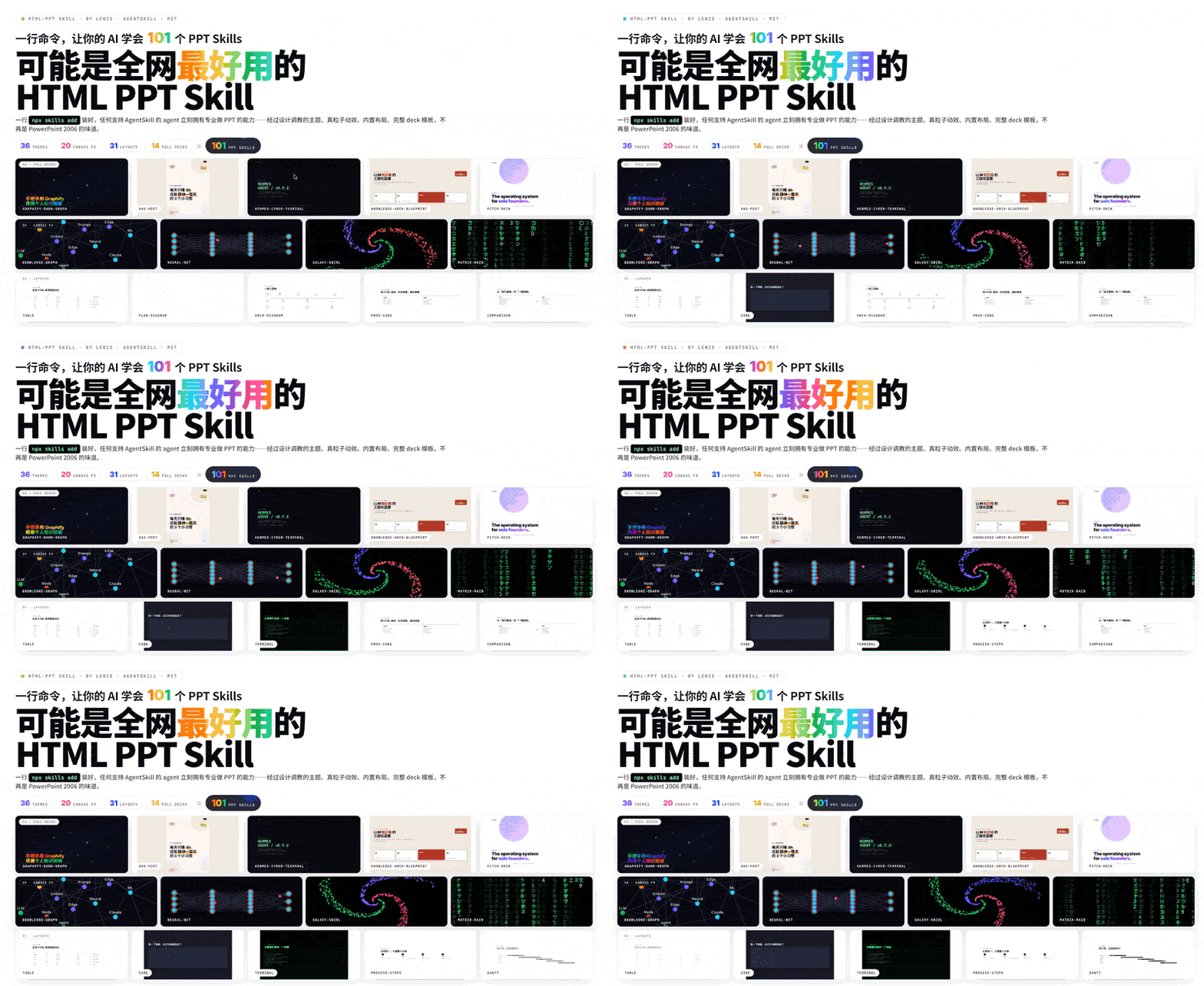
One-line Positioning
html-ppt-skill is an AgentSkill for AI agents to generate professional HTML presentations with themes, layouts, animations, and presenter mode using pure static HTML/CSS/JS.
Basic Information
| Item | Information |
|---|---|
| Project | html-ppt-skill / HTML PPT Studio |
| GitHub | https://github.com/lewislulu/html-ppt-skill |
| Author | lewis |
| License | MIT |
| Main technologies | HTML, CSS, JavaScript, Shell |
| Stars | About 5.3k |
| Forks | About 505 |
| Positioning | AgentSkill / HTML presentation generation toolkit |
| Core highlights | 36 themes, 15 full-deck templates, 31 page layouts, 47 animations, presenter mode |
| Build model | Pure static HTML/CSS/JS, no build step required |
What Problem It Solves
Many AI tools can generate a presentation outline, but turning that outline into slides that are presentable, well-designed, and ready for a real talk still usually requires a lot of manual layout work.
html-ppt-skill addresses this gap: it lets an agent move beyond writing content and directly generate an HTML presentation that can be opened, presented, previewed, and exported.
It packages common presentation authoring capabilities into an AgentSkill, including:
- visual themes;
- page layouts;
- full-deck templates;
- CSS and Canvas animations;
- presenter mode;
- export scripts;
- example decks and verification screenshots.
For users, the interaction can be very direct. You can ask an AgentSkill-compatible agent something like:
“Create an 8-page technical sharing deck with a cyberpunk theme.”
“Turn this outline into an investor pitch deck.”
“Create a 9-card Xiaohongshu-style visual post with a soft white style.”
The agent can then use this skill to generate the corresponding HTML presentation.
Core Features
1. 36 Visual Themes
The project includes 36 themes covering minimal, editorial, dark, cyberpunk, blueprint, Xiaohongshu, investor pitch, academic, and other styles.
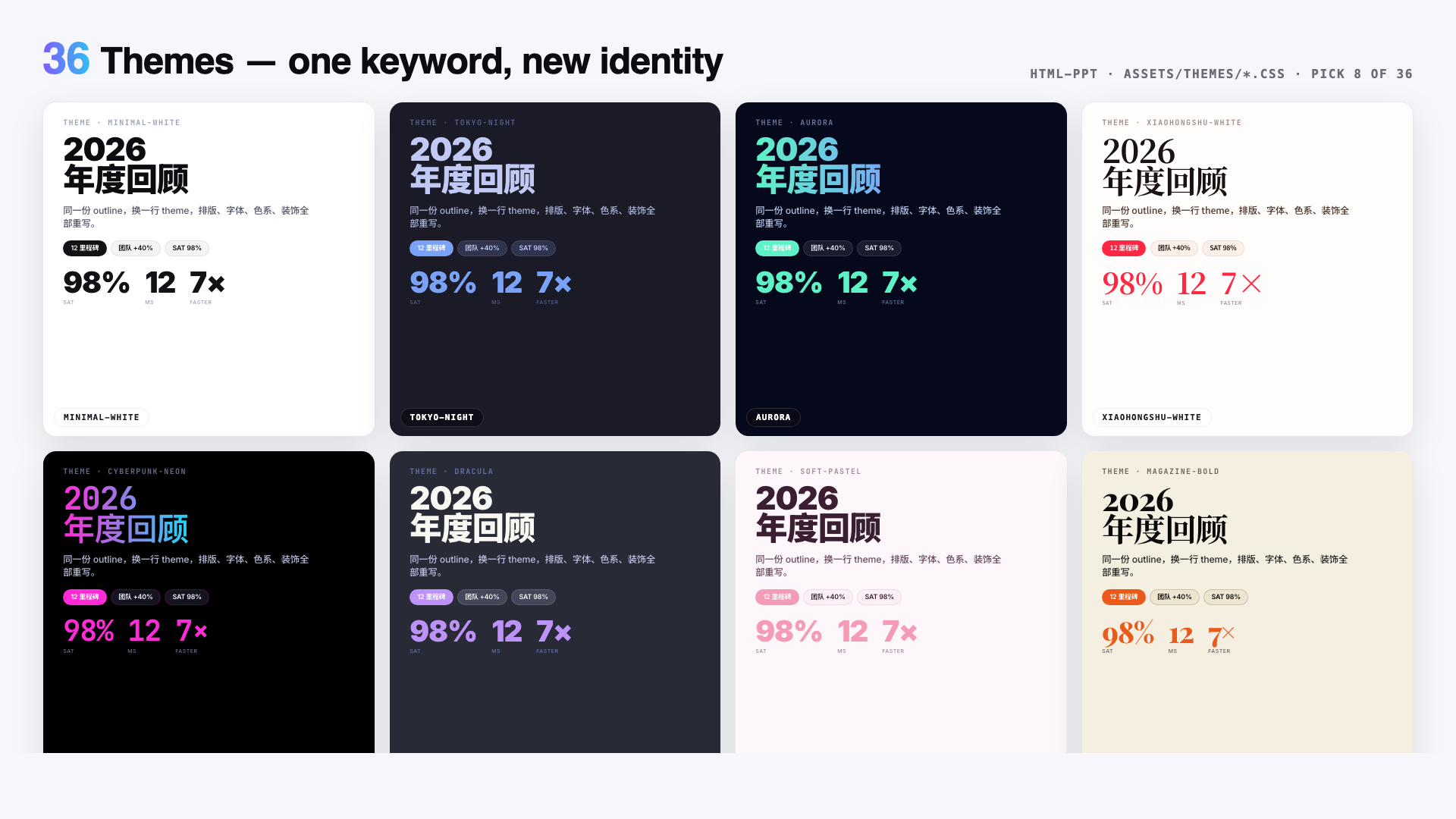
Themes are driven by CSS tokens. Swapping one <link> can reskin the entire deck. This makes it easy for an agent to choose a style based on the content type:
- technical sharing:
tokyo-night,cyberpunk-neon,engineering-whiteprint; - business reporting:
corporate-clean,pitch-deck-vc; - Xiaohongshu-style posts:
xiaohongshu-white,soft-pastel; - academic content:
academic-paper; - architecture proposals:
blueprint.
2. 15 Full-deck Templates
This is not just a collection of single-page components. It also provides complete multi-slide deck templates.
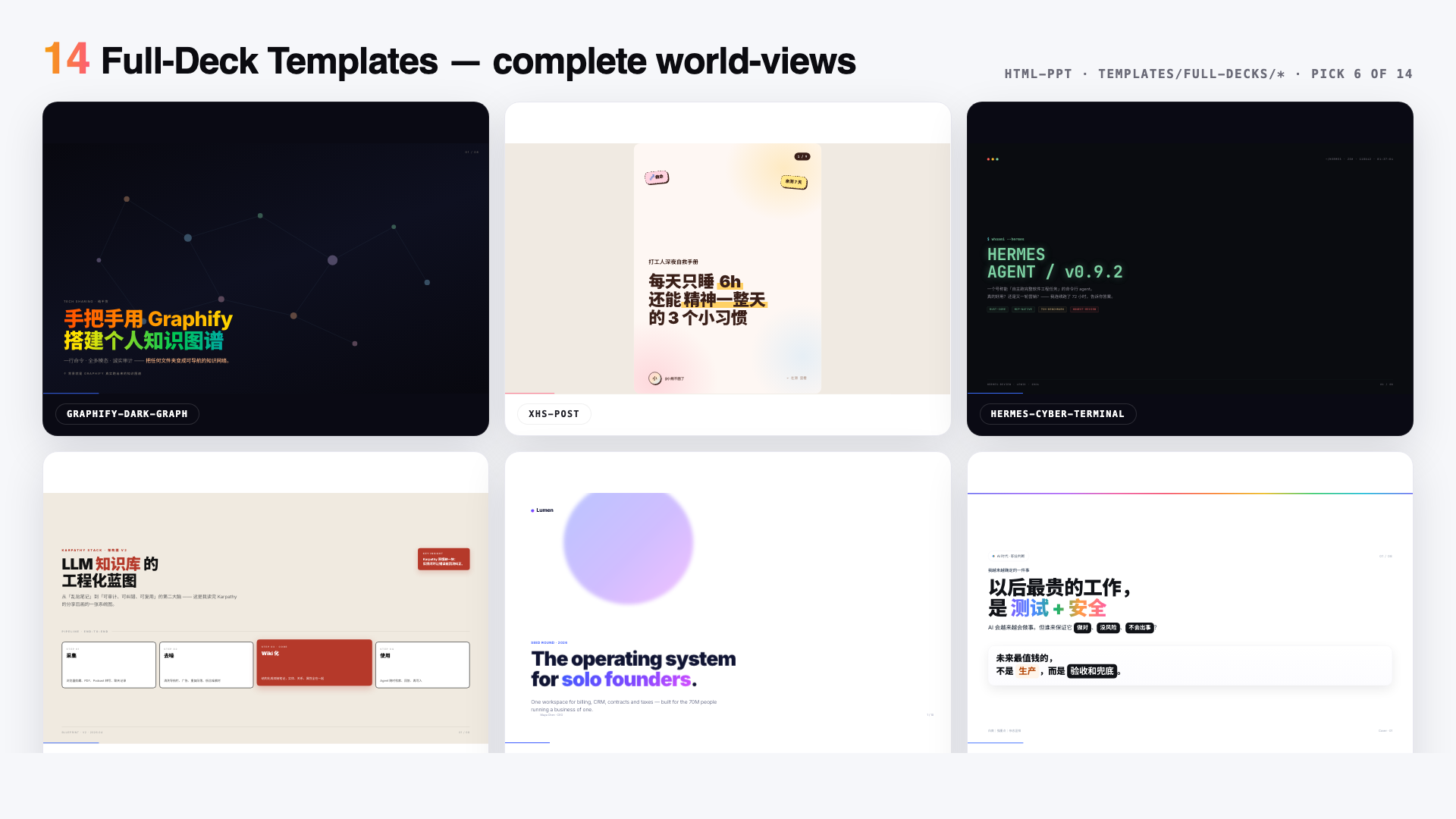
The templates fall into two groups.
Extracted visual styles
- Xiaohongshu white editorial style;
- dark knowledge graph style;
- blueprint / architecture diagram style;
- terminal cyberpunk style;
- purple gradient card style;
- warning / safety testing style;
- soft pastel card style;
- minimal keyboard navigation style.
Scenario templates
- investor pitch deck;
- product launch;
- technical sharing;
- weekly report;
- 9-page Xiaohongshu post;
- course module;
- presenter-mode template with full speaker scripts.
These templates are especially useful for agents because the agent does not need to design every page from scratch. It can start from a scenario-specific structure and adapt the content.
3. 31 Single-page Layouts
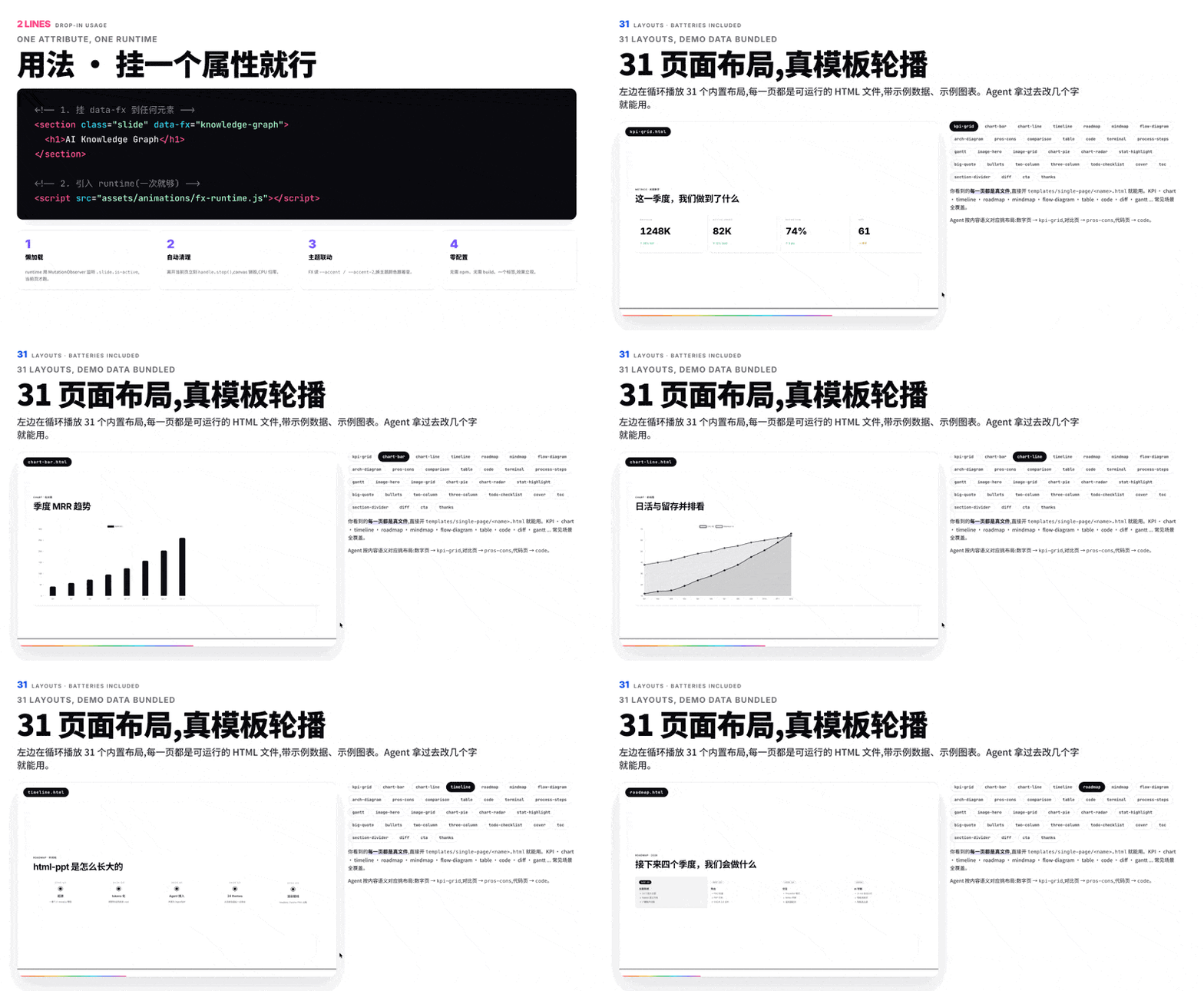
The project provides 31 common page layouts that cover most presentation needs.
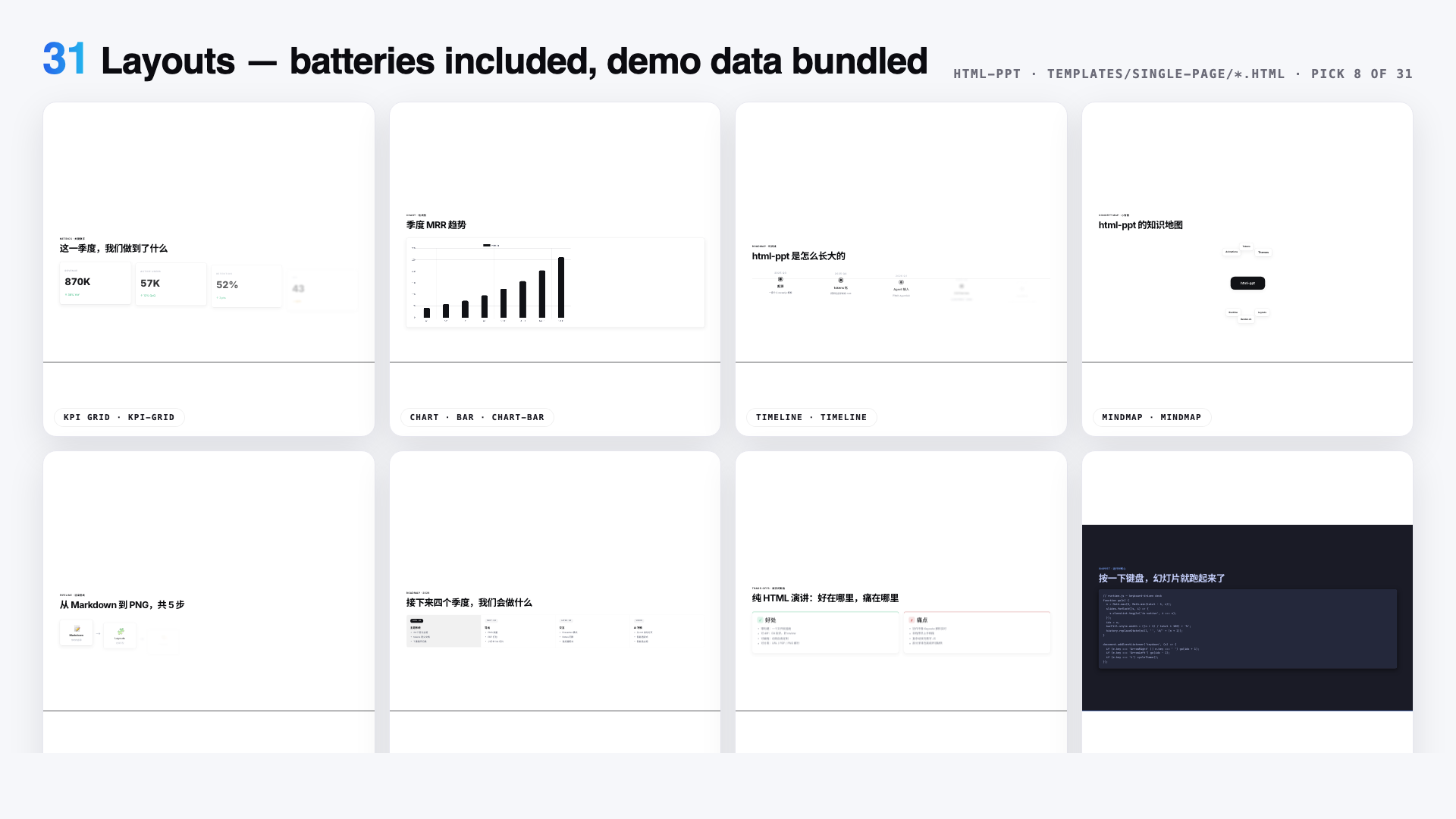
The layout set includes:
- cover;
- table of contents;
- section divider;
- bullet list;
- two-column and three-column pages;
- quote pages;
- statistic highlights;
- KPI grids;
- tables;
- code pages;
- diffs;
- terminal pages;
- flow diagrams;
- timelines;
- roadmaps;
- mind maps;
- comparison pages;
- Gantt charts;
- image hero pages;
- image grids;
- bar, line, pie, and radar charts;
- architecture diagrams;
- CTA pages;
- thanks pages.
The README also shows a live cycling preview of real layout files:
4. 47 Animations
html-ppt-skill includes 27 CSS animations and 20 Canvas FX animations.
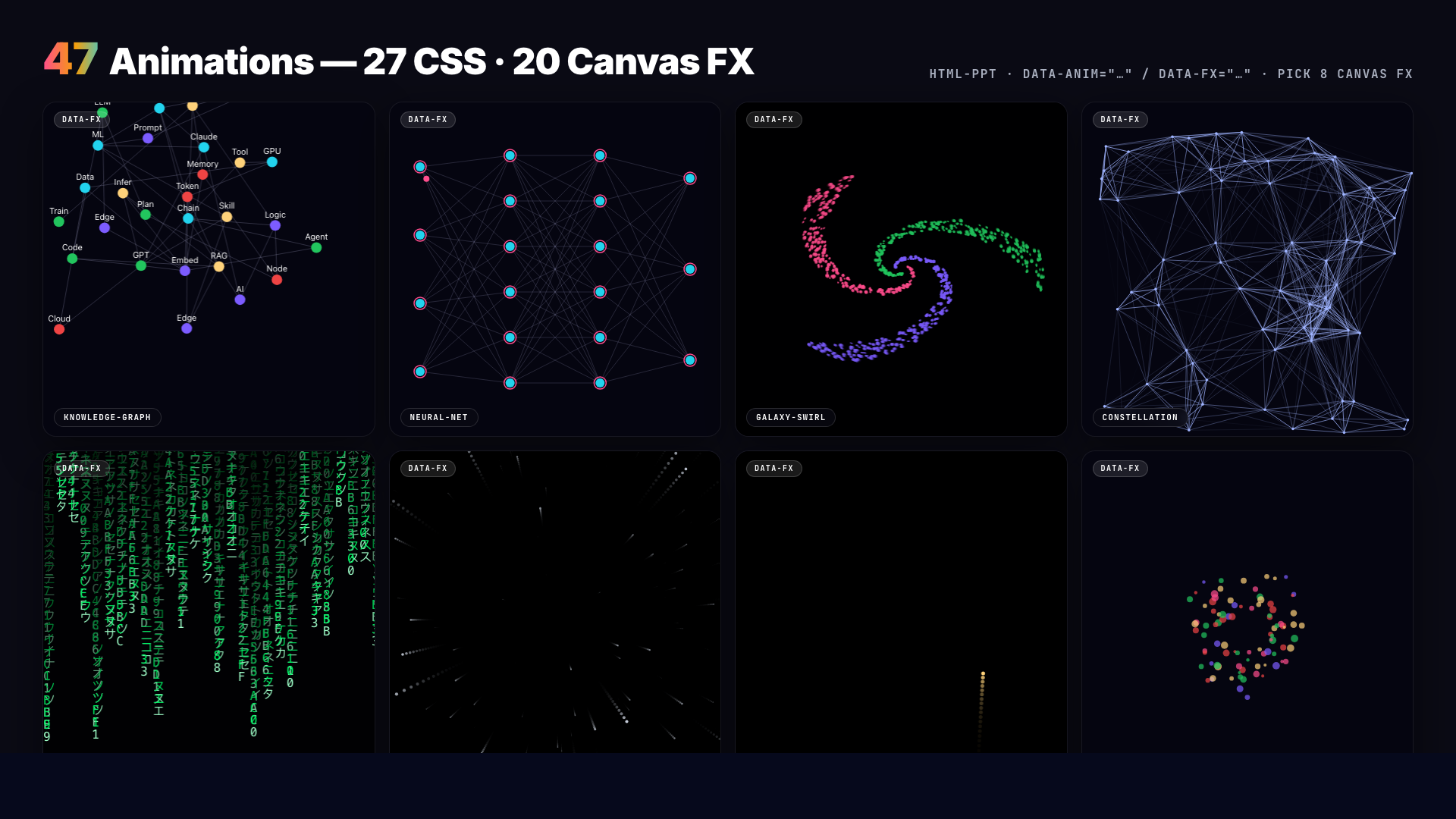
CSS animations include:
- fade-in;
- rise-in;
- zoom-pop;
- blur-in;
- typewriter;
- neon glow;
- gradient flow;
- staggered list entrance;
- counter-up;
- path drawing;
- 3D card flip;
- page turn;
- spotlight effects.
Canvas FX modules include:
- particle burst;
- confetti cannon;
- fireworks;
- starfield;
- Matrix rain;
- knowledge graph;
- neural-network pulses;
- constellation lines;
- data stream;
- magnetic field;
- shockwave effects.
This means the result is not just a static web page pretending to be a slide deck. It can behave like a real presentation with motion and visual emphasis.
5. Presenter Mode
Presenter mode is one of the most interesting parts of the project.
Pressing S in any deck opens a separate presenter window with four draggable and resizable magnetic cards:
- current slide preview;
- next slide preview;
- speaker script;
- timer.
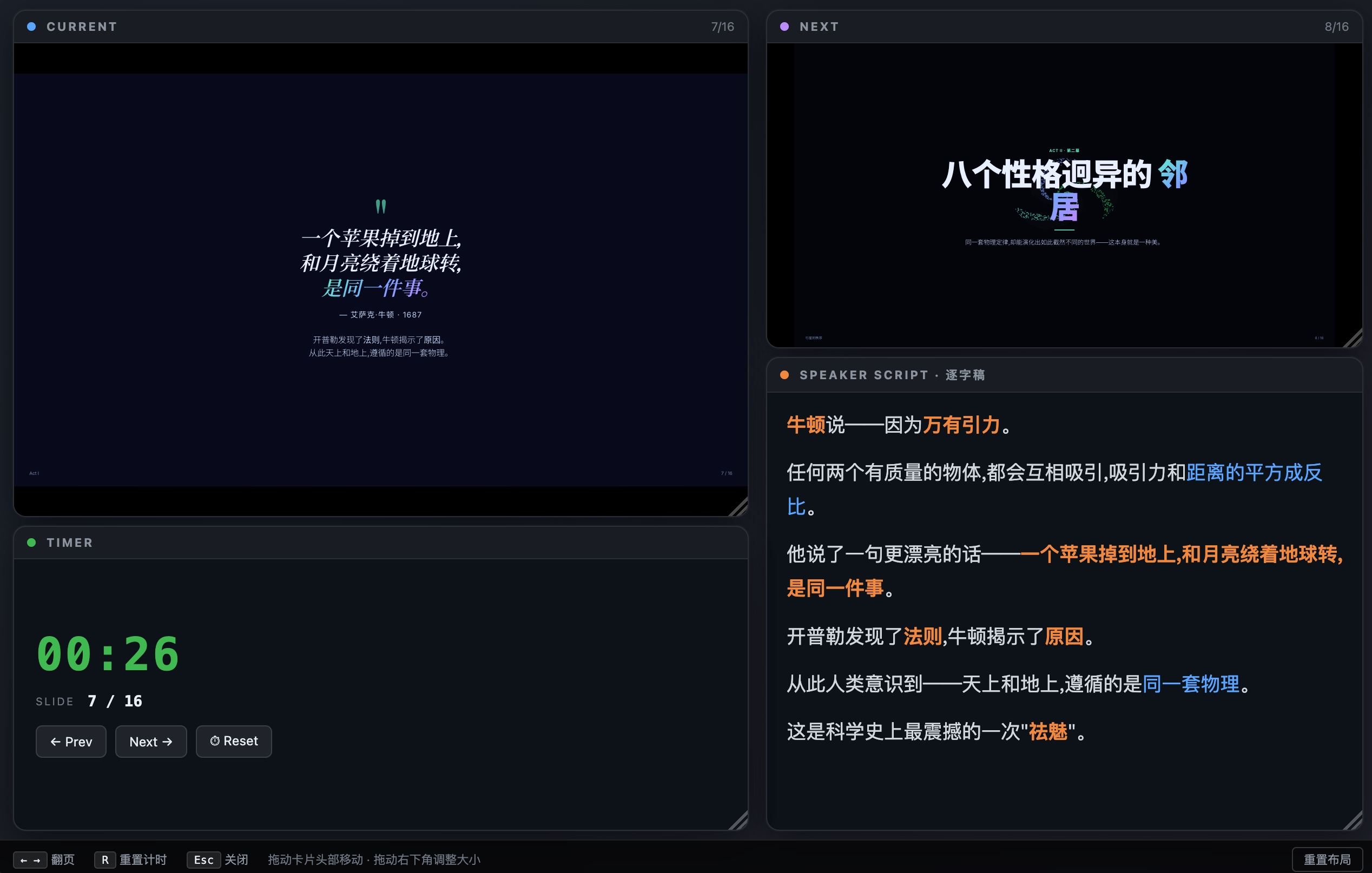
The implementation is thoughtful. The previews are not screenshots. Each preview is an iframe loading the same deck HTML with a ?preview=N parameter, so it renders only the target slide. The presenter preview and the audience view use the same CSS, fonts, theme, and viewport, which keeps the visual result consistent.
Slide changes are synchronized through BroadcastChannel and postMessage, so the preview does not need to reload and avoids flicker.
Who It Is For
This project is useful for:
- users who want AI to directly generate presentation decks;
- people using Claude Code, Codex, Cursor, OpenClaw, or similar agent tools;
- anyone who often creates technical talks, product launches, weekly reports, or course materials;
- developers who prefer HTML/CSS/JS over traditional slide tools;
- users who need to generate Xiaohongshu-style visual posts, course slides, or project introductions in batches;
- teams that want presentation assets to be versioned, scripted, and exported like code.
It is especially suitable when the content is generated by AI but the final output still needs a deliberate visual design.
Quick Start
Installation is simple:
npx skills add https://github.com/lewislulu/html-ppt-skillAfter installation, an AgentSkill-compatible agent can use the skill directly.
If you clone the project manually, you can scaffold a new deck with:
./scripts/new-deck.sh my-talkBrowse the built-in resources:
open templates/theme-showcase.html
open templates/layout-showcase.html
open templates/animation-showcase.html
open templates/full-decks-index.html
Export PNG images:
./scripts/render.sh templates/theme-showcase.html
./scripts/render.sh examples/my-talk/index.html 12
Common keyboard shortcuts:
← → Space PgUp PgDn Home End   Navigate
F                               Fullscreen
S                               Open presenter window
N                               Open notes drawer
R                               Reset timer
O                               Slide overview
T                               Cycle themes
A                               Demo animation on current slide
#/N                             Jump to slide N
?preview=N                      Single-slide preview mode
Conclusion
The value of html-ppt-skill is not simply “writing presentations in HTML.” It packages themes, layouts, templates, animations, presenter mode, and export scripts into a reusable capability that agents can call.
If you already use AI agents to write documents, prepare proposals, or generate code, this project makes the next step feel natural: let the agent turn the content directly into a presentable HTML slide deck.