
One-line Positioning
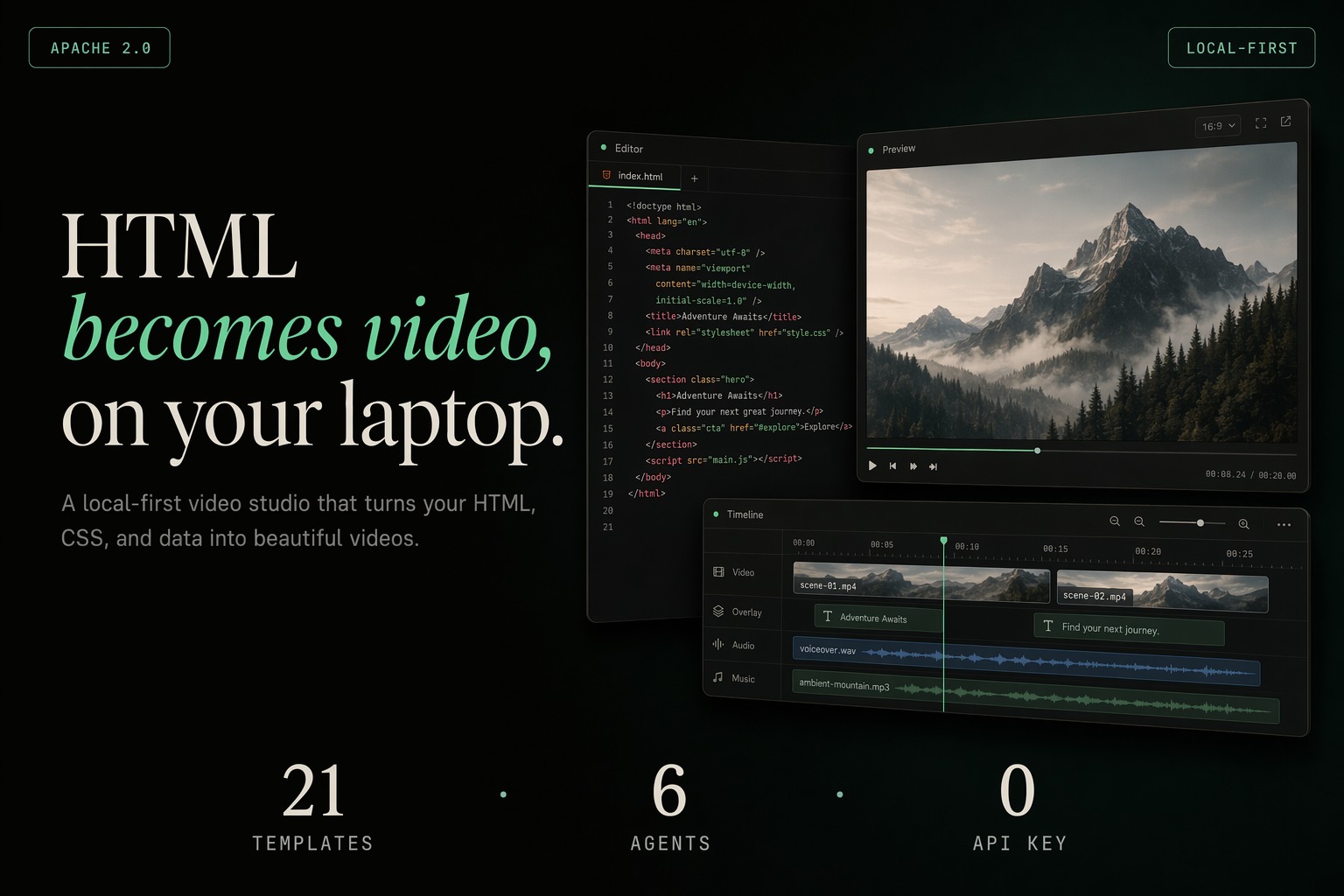
html-video is a local video generation workflow for coding agents: give it a prompt, an article link, or a GitHub repository, and it generates animated multi-frame HTML that can be rendered into a real MP4.
Basic Information
| Item | Information |
|---|---|
| Project | html-video |
| GitHub | https://github.com/nexu-io/html-video |
| Website | https://open-design.ai/html-video |
| Team | Open Design / nexu-io |
| License | Apache-2.0 |
| Main technologies | HTML, CSS, TypeScript, Headless Chromium, ffmpeg |
| Default render engine | Hyperframes |
| Templates | 21 built-in templates |
| Supported agents | Open Design, Claude Code, Cursor, Codex, Gemini, Qwen, OpenCode, Copilot, Aider, Hermes, and more |
| Positioning | Agent-driven local HTML-to-video workflow |
What Problem It Solves
Programmatic video is not a new idea. Tools such as Remotion, Motion Canvas, and Manim can all turn code into video, but each comes with its own authoring model: some are React-oriented, some are canvas-oriented, and some are built primarily for mathematical animation.
That creates a practical barrier. You are not just “making a video”; you first need to choose a framework, learn its model, understand its rendering pipeline, and then manually break the content into scenes.
html-video tries to move that complexity behind a higher-level workflow. The user interacts with a local Studio or CLI, while the connected coding agent handles content analysis, template selection, and frame generation.
  flowchart LR
    A[Prompt / Article Link / GitHub Repository] --> B[Fetch and Prepare Source Material]
    B --> C[Coding Agent Builds a Storyboard]
    C --> D[Generate Animated HTML Per Frame]
    D --> E[Record with Headless Chromium]
    E --> F[Encode and Compose with ffmpeg]
    F --> G[Export MP4]
The key idea is to separate content understanding from rendering. The agent decides what to say and how to structure the scenes; the rendering engine decides how those scenes become video frames.
Core Features
1. Generate Video from Links or Repositories
html-video is not limited to a single prompt. You can paste a web article, a WeChat article, or a GitHub repository URL. The Studio fetches and flattens the source content into Markdown, then passes it to the agent as material for the video.
This is especially useful for technical content. For example, if you provide an open-source repository, it can read the project description, README, and top-level structure, then generate a structured project introduction video.
2. Multi-frame Storyboards
The project uses a content-graph to organize multi-scene videos. In practice, the agent breaks the source material into nodes; each node becomes a frame, while the sequence, contrast, and dependency relationships between nodes define the pacing of the final video.
Single-frame videos can take a fast path. Multi-scene videos generate HTML frame by frame, then compose those frames into one MP4.
3. Express Frames with HTML and CSS
Compared with writing directly in a specialized video framework, HTML and CSS are easier to author, inspect, and modify. Titles, cards, charts, gradients, animations, and layouts can all be represented with common web technologies.
The current default engine is Hyperframes. It loads animated HTML with Headless Chromium, records the frames, and hands them to ffmpeg for MP4 encoding.
4. Built-in Template Library
html-video includes 21 templates covering data visualization, product promos, title cards, outros, kinetic typography, decision trees, cinematic frames, and other common video scenes.

A data chart template like this is useful when a video needs to explain how a metric changes over time. Instead of designing every frame from scratch, the agent can fill the template with a headline, data points, annotations, and a source line.

A title template like this works well for openers, topic reveals, or technical videos that need a stronger “system online” visual style.
5. Local Agent Workflow
The project supports multiple coding agents, including Open Design, Trae CLI, Claude Code, Cursor Agent, Codex CLI, Gemini CLI, Grok, Qwen Code, OpenCode, Copilot CLI, Aider, Hermes, and the Anthropic API.
That means it is not locked to a single model or vendor. It behaves more like a local video generation workstation that can be driven by whichever coding agent you already use.
6. Optional Soundtrack and Narration
If a MiniMax API key is configured, html-video can also generate background music and TTS narration. During export, ffmpeg mixes the audio into the final MP4. Without an audio key, the rest of the video generation workflow still works normally.
Who It Is For
html-video is especially useful for:
- Developers who want to turn technical articles, open-source projects, or product updates into short videos;
- Content teams that want to generate project introduction videos with agents;
- Engineers exploring “Video as Code” workflows;
- Users who prefer local rendering and do not want per-render cloud fees;
- People already using coding agents such as Claude Code, Codex, Cursor, or Hermes.
It is particularly well suited to content that already has a clear structure but needs to be turned into video more quickly: open-source project introductions, product updates, data explainers, technical tutorial intros, and social video assets.
Quick Start
The project is a pnpm-managed monorepo. The official quick start is:
pnpm install
pnpm -r build
node packages/cli/dist/bin.js studio
Then open the local Studio:
http://127.0.0.1:3071Useful CLI commands:
node packages/cli/dist/bin.js doctor
node packages/cli/dist/bin.js search-templates --intent "github stars race" --top 3
doctor checks available local agents and render engines. search-templates helps find suitable templates based on a video intent.
Conclusion
The value of html-video is not simply “turning HTML screenshots into video.” Its stronger idea is connecting source input, agent understanding, storyboard generation, animated HTML, and MP4 rendering into one workflow.
For developers, it lowers the entry barrier for programmatic video. You do not need to commit to one video framework first, nor do you need to design every scene from a blank canvas. You can start with an article, a repository, or a prompt, then let an agent generate the video from templates.
Today, the truly runnable core is the Hyperframes engine, while other render engines are still on the roadmap. But if you care about AI agents, content automation, and technical video generation, html-video is an open-source project worth following.