
One-line positioning
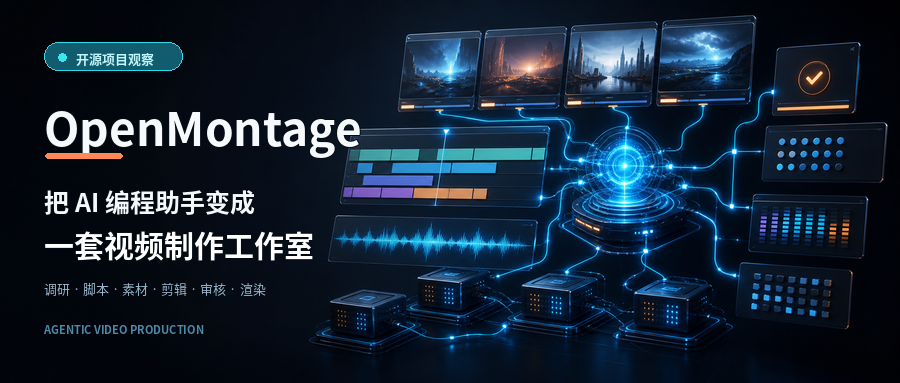
OpenMontage is an open-source agentic video production system. You describe what you want in natural language, and AI coding assistants such as Claude Code, Codex, and Cursor organize the research, script, assets, voice-over, editing, review, and rendering workflow.
Its focus is not merely generating a short video clip from a prompt. Instead, it turns the complete video production process into an orchestrated, resumable, and reviewable pipeline.
Basic information
| Item | Details |
|---|---|
| Project | OpenMontage |
| GitHub | calesthio/OpenMontage |
| Website | openmontage.video |
| GitHub Stars | About 44.1K |
| Forks | About 5.3K |
| License | GNU AGPLv3 |
| Created | March 2026 |
| Main technologies | Python, FFmpeg, Remotion, React, HyperFrames |
| Requirements | Python 3.10+, Node.js 18+, FFmpeg |
| Supported agents | Claude Code, Codex, Cursor, Copilot, Windsurf |
| Maturity | Actively updated, but no formal release or version tag yet |
What problem does it solve?
Many AI video tools address only one part of the production process:
- Text-to-video models generate a few seconds of footage.
- Image models create visual assets.
- TTS services provide narration.
- FFmpeg or editing software handles composition.
- The user still manages scripts, assets, subtitles, budgets, and quality checks.
Producing a complete video therefore still requires repeated switching between multiple tools.
OpenMontage combines these stages into one workflow:
Research
  → Production plan
  → Script
  → Storyboard
  → Asset generation
  → Editing decisions
  → Video composition
  → Final quality check
Rather than implementing a closed, standalone AI orchestration service, it follows an Agent-first architecture. The coding assistant reads YAML workflow definitions and Markdown skills, then calls the repository’s Python tools to complete the work.
Core features
1. Eleven video production pipelines
The project includes workflows for several production styles:
- Animated educational videos
- Motion graphics and kinetic typography
- AI avatar videos
- Cinematic trailers
- Long-form video clipping
- Documentary-style footage editing
- Mixed AI-generated and real-world footage
- Video translation and dubbing
- Podcast-to-short-video conversion
- Software demonstrations
- Talking-head videos
Each pipeline defines its own stages, tools, review conditions, and output requirements.
2. Start from a reference video
OpenMontage accepts reference material from:
- YouTube videos
- YouTube Shorts
- TikTok
- Instagram Reels
- Local video files
The agent can analyze the reference video’s:
- Transcript and subtitles
- Pacing
- Scene structure
- Keyframes
- Visual style
- Opening hook
It then proposes two or three differentiated concepts and presents tool choices and estimated costs before production begins.
The goal is to learn from the reference video’s rhythm and structure, not simply copy its content.
3. Combine real footage with AI-generated assets
OpenMontage is not limited to turning static images into slideshows.
Without paid video-generation APIs, it can source real motion footage from:
- Archive.org
- NASA
- Wikimedia Commons
- Pexels
- Pixabay
- Unsplash
The system builds an asset library, uses CLIP for semantic retrieval, and edits matching video clips into the timeline.
With optional API configuration, it can also use services such as Kling, Google Veo, Runway, FLUX, Imagen, OpenAI, and ElevenLabs to generate video, images, narration, and music.
4. A local, no-paid-API production path
The project states that all API keys are optional. With no paid service keys, it can use:
- Piper TTS for local offline narration
- Remotion for React-based video composition
- HyperFrames for HTML, CSS, and GSAP motion graphics
- FFmpeg for encoding, mixing, subtitles, and post-production
- Open media libraries for real video and image assets
- Built-in subtitle tools for word-level captions
On a machine with a suitable GPU, local models such as WAN 2.1, Hunyuan, CogVideo, and LTX-Video can also be configured.
“No paid API required” does not mean there is no cost at all. Local video generation can still consume substantial GPU memory and compute time.
5. Quality checks as part of the pipeline
OpenMontage does more than call models to generate assets. It introduces quality gates throughout production:
- Wait for human approval during scripting, storyboarding, and asset selection
- Verify that the production plan meets delivery requirements before rendering
- Detect whether the video is too close to a static slideshow
- Use
ffprobeto validate the final media format - Sample frames at multiple timestamps to detect black frames and broken overlays
- Analyze silence, clipping, and volume problems
- Confirm that subtitles exist
- Check whether the finished video delivers what the original production plan promised
If these checks fail, the system does not treat the output as a finished deliverable.
6. Backlot visual production board
OpenMontage provides a local dashboard called Backlot that displays:
- Current production stage
- Script and storyboard
- Candidate assets for each scene
- Generation prompts
- Per-asset costs
- Quality scores
- Steps waiting for user confirmation
- Previous production projects
Basic commands:
python -m backlot open
python -m backlot open <project-id>
Backlot can also replay the complete production process, making it easier to identify when a particular asset or decision was created.
7. Budgeting and model selection
The project evaluates video, image, TTS, and music services across seven dimensions:
- Task fit
- Output quality
- Controllability
- Reliability
- Cost efficiency
- Latency
- Continuity
Before calling paid APIs, it can estimate expenses and configure:
- Per-operation confirmation thresholds
- Total budget limits
- Over-budget warnings
- Hard spending caps
- Actual expense tracking
The README’s default total budget limit is USD 10, while individual operations above USD 0.50 can pause for confirmation.
Who is it for?
OpenMontage is a good fit for:
- Developers who want to create videos with Codex or Claude Code
- Teams producing technical explainers or product-demo videos in volume
- Creators turning podcasts or long-form videos into short clips
- Users who need to switch between multiple video, image, and speech models
- Teams that want self-hosting and complete ownership of project files
- Developers studying agent pipelines, quality gates, and budget governance
It is particularly useful for people with some development experience who do not want to manually connect a dozen separate video tools.
Quick start
Requirements
Prepare the following:
- Python 3.10+
- Node.js 18+
- FFmpeg
- An agent such as Claude Code, Codex, or Cursor that can read and write files and execute commands
Installation
git clone https://github.com/calesthio/OpenMontage.git
cd OpenMontage
make setup
After installation, open the project in your AI coding assistant and describe the video you want:
Create a 60-second animated educational video explaining how neural networks learn.To use real footage, specify that requirement explicitly:
Create a 75-second documentary-style montage of a city in the rain.
Use only real video footage, with no narration, and keep the mood restrained and nostalgic.
Configure service credentials in .env only when you need AI images, generated video, paid narration, or music.
Conclusion
What makes OpenMontage worth watching is not the number of video models it connects. Its real contribution is turning video production into an agent pipeline that is readable, editable, resumable, and reviewable.
It uses YAML for workflow definitions, Markdown skills for production knowledge, Python tools for execution, and AI coding assistants for orchestration. This architecture moves video creation beyond a one-shot prompt while making it easier to inspect costs, replace service providers, and reproduce results.
The project is still young. Despite having roughly 44K stars, it does not yet have a formal release or version tag. For now, it is best viewed as a fast-moving open-source video production framework. Before adopting it for long-term production, test it with a short video to validate installation, media sources, rendering speed, and actual cost.